Tailored Baseline
Get a starting temperature and ratio shaped by the coffee's roast, origin, process and elevation.
 Espresso Metrix
Start each bag with a tailored temperature and brew ratio, then plan, taste and log your way to the recipe that works on your setup.
Get a starting temperature and ratio shaped by the coffee's roast, origin, process and elevation.
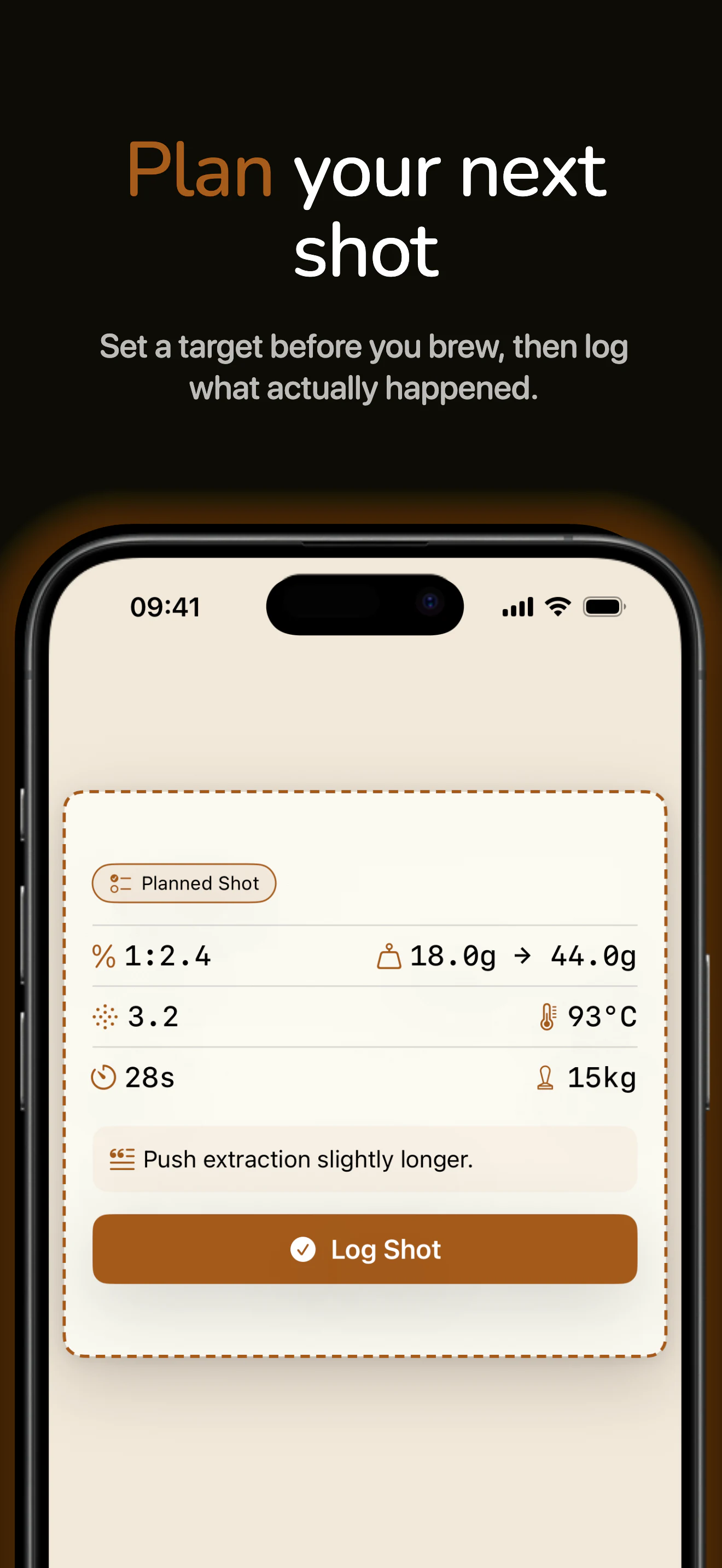
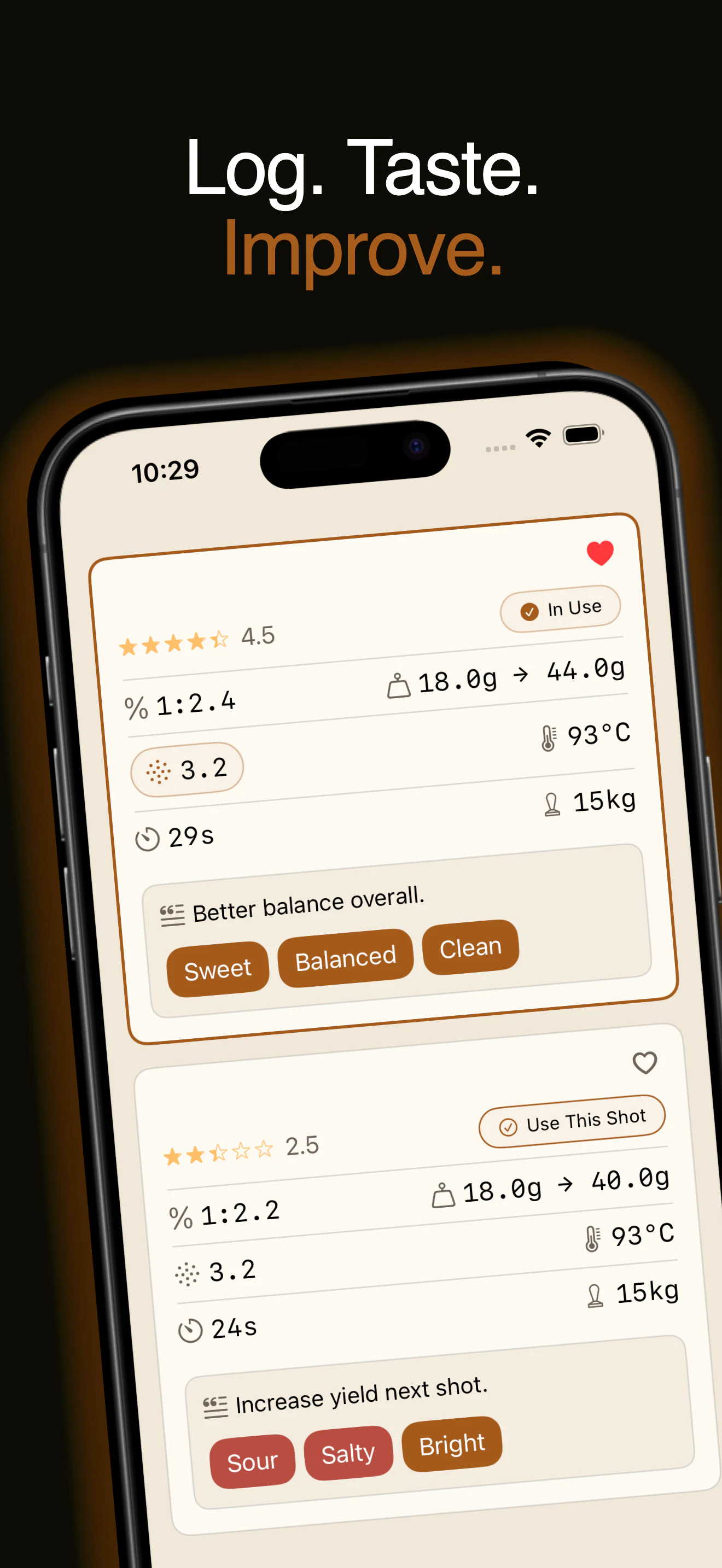
Set your target recipe before brewing, then compare it with the result.
Keep the result beside the recipe so your next adjustment has context.
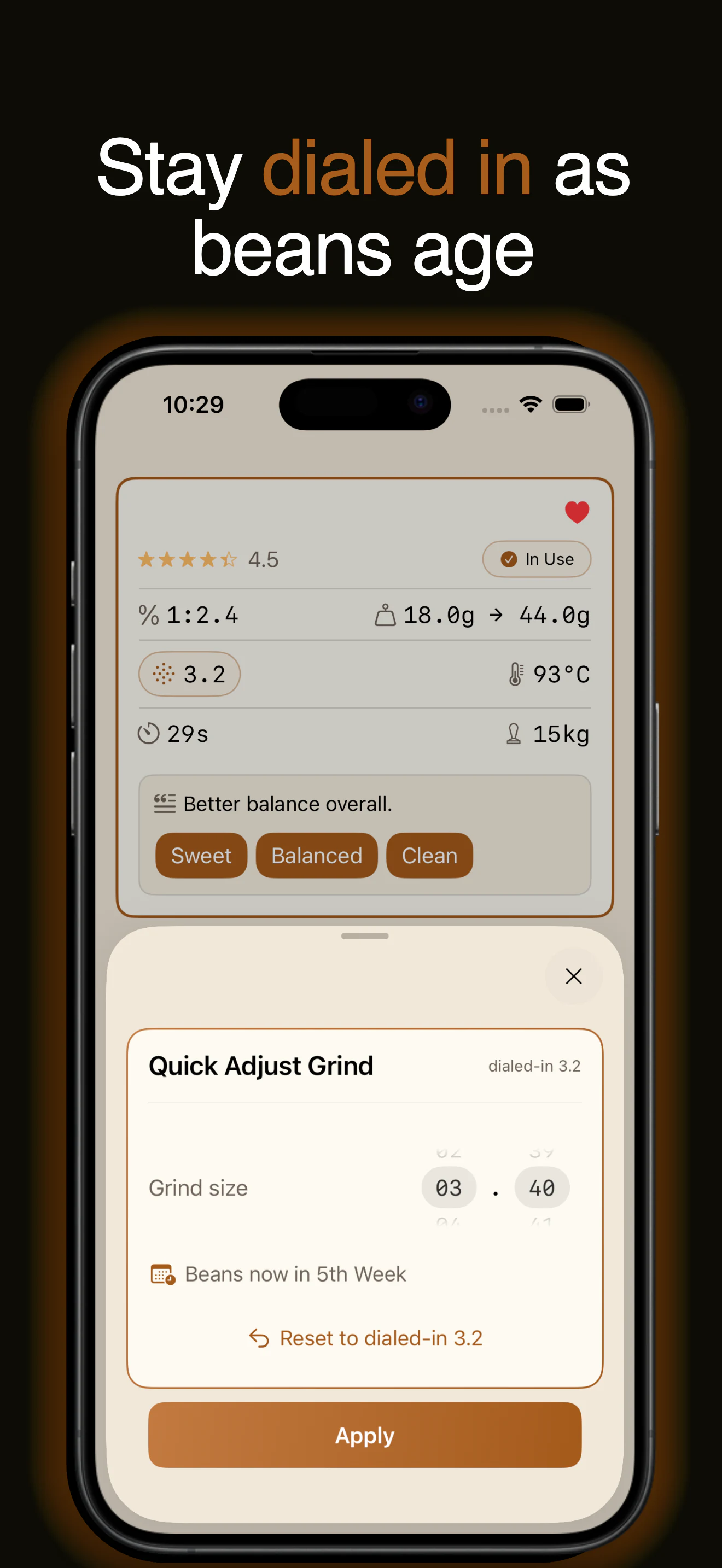
Fine-tune grind as beans age while your original recipe stays untouched.
Free on the App Store with no time limit. Use it with your own coffees and setup, then upgrade to Premium when you want unlimited coffees and shot logs.
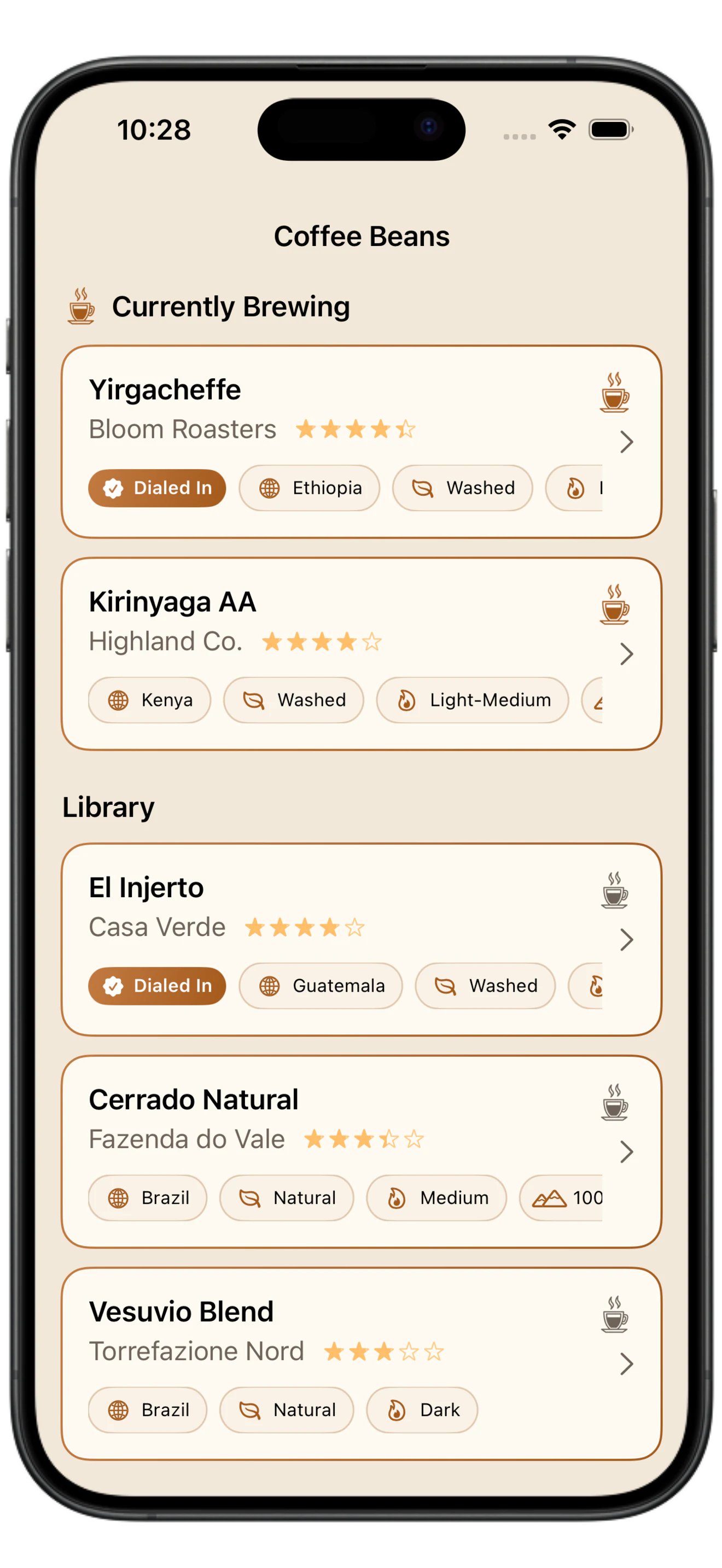
Keep each coffee, its shot history and the recipe that worked in one connected workflow.
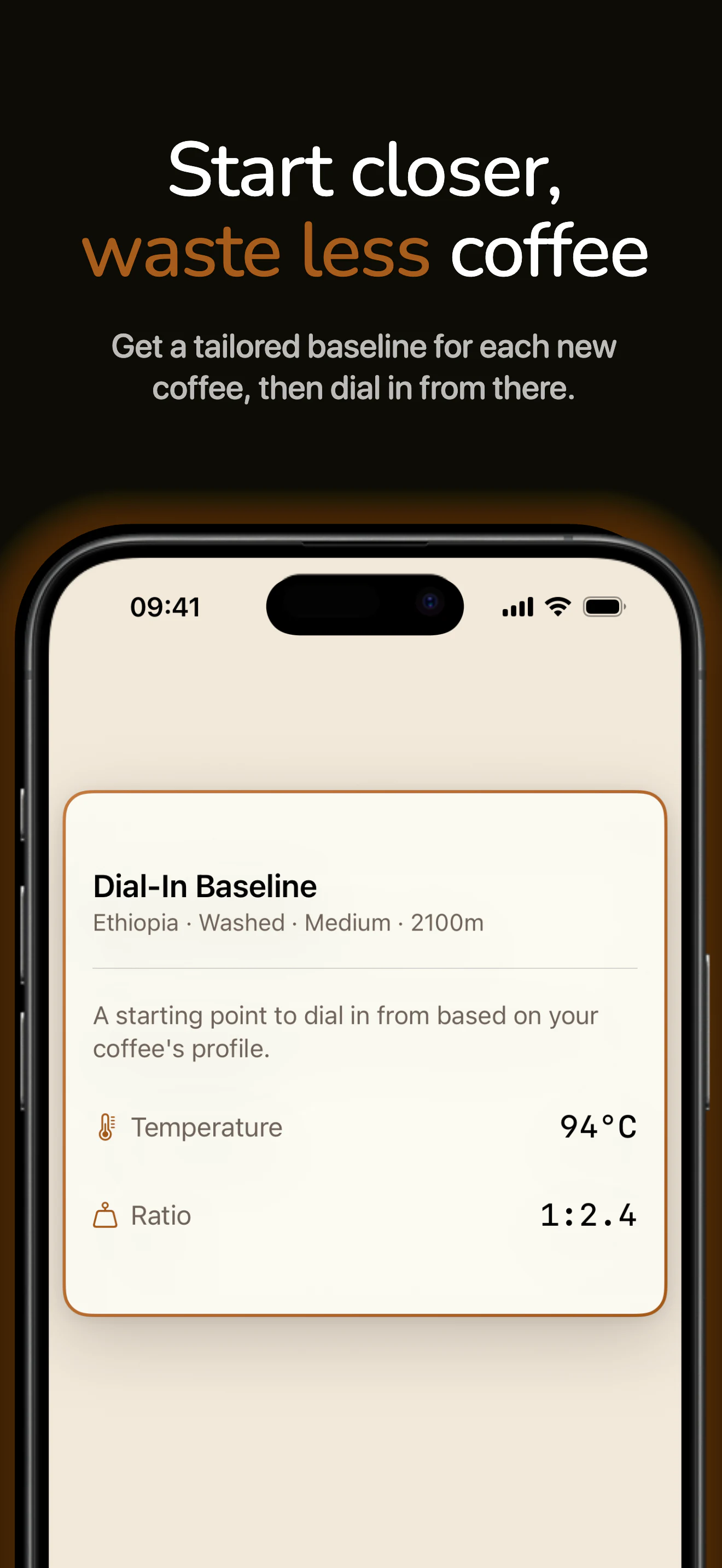
Roast, process, elevation and origin each offer a clue about how a coffee may extract. Espresso Metrix combines all four into a practical starting temperature and brew ratio.
The strongest signal for how readily the coffee may extract.
Adds context for body, clarity and fermentation-led flavors.
A useful clue about density when the bag provides it.
A broad clue that supports the more specific details on the bag.
Ethiopia · Washed · Medium · 2,100 m
Start here. Finish the dial-in by taste.
Start from better information, change one thing at a time and keep what works.
Save the bag details once, then keep every plan, result and adjustment attached to that coffee.
Espresso Metrix suggests a starting temperature and ratio based on the coffee's roast, origin, process and elevation, so your first shot is an informed attempt.
Set the target before brewing, then record what actually happened and how the cup tasted.
Save the shot that worked. As beans age, Quick Adjust Grind tracks small tweaks while your original dialed-in recipe stays untouched.
Practical workflows for choosing your next adjustment, understanding what changed and keeping the recipe when the cup tastes right.
Use the familiar Compass flow, then log each taste, adjustment and result so the lesson carries forward.
Read the guide →Dialing inHow roast, process, elevation and origin become a practical starting temperature and ratio.
Read the guide →WorkflowA controlled plan, pull, log and compare loop that shows whether your last adjustment actually helped.
Read the guide →A controlled dose, ratio, time and taste workflow for finding a repeatable espresso recipe.
Read the guide →RecipesWhat brew ratio means, how many grams in and out for a double shot, and when to go longer or shorter.
Read the guide →TroubleshootingUse taste, shot time and puck behavior to find the next useful move when espresso tastes sharply sour.
Read the guide →TroubleshootingSeparate harsh extraction from roast character, channeling and old coffee oils before choosing the next adjustment.
Read the guide →FundamentalsWhy 25–35 seconds is the classic window, when to break the rule, and how to use time as a diagnostic.
Read the guide →FundamentalsUse flow and taste together to decide when to grind finer, coarser, or leave the grinder alone.
Read the guide →WorkflowThe variables worth recording, how to structure them by coffee, and how a log makes each comparison reusable.
Read the guide →FreshnessHow rest, storage and coffee age can shift espresso flow, plus a way to adjust without losing the original recipe.
Read the guide →TasteTaste acidity, sweetness, bitterness, texture and finish, then turn the comparison into one useful adjustment.
Read the guide →TroubleshootingUse taste, flow and repeatability to identify channeling, then test puck prep before changing the recipe.
Read the guide →FundamentalsStarting temperature ranges by roast, plus a controlled way to decide whether heat is the variable worth moving.
Read the guide →Espresso Metrix keeps the variables that affect your espresso together: dose, yield, ratio, extraction time, temperature, grind setting, taste, and notes.
You can compare shots, identify what changed, plan your next adjustment, and save the recipe that produced your best result. Learn more →
When you add a coffee, Espresso Metrix suggests a starting temperature and ratio based on roast, origin, process and elevation.
The baseline does not replace dialing in. It gives the first shot a reasoned starting point, which you then adjust for your grinder, machine, water and palate. Learn more →
Yes. You can log the dose, yield, brew ratio, extraction time, temperature, grind setting, rating, taste characteristics, and notes for every shot.
Each shot remains connected to the coffee it was brewed with, making it easier to compare results throughout the life of the bag. Learn more →
Yes. You can create a target recipe before pulling the shot, including the dose, yield, ratio, temperature, grind setting, and expected extraction time.
After brewing, you can turn the plan into an actual shot log and record what happened in the cup.
Espresso Metrix gives you a structured record of the recipe, result and taste so you can choose the next adjustment with better evidence.
It does not prescribe one correct recipe. Grinder, machine, basket, water, coffee age and personal taste all shape the result.
Yes. Espresso Metrix lets you make day-to-day grind adjustments while preserving your original dialed-in recipe.
This helps you compensate for changes in the coffee as it ages without losing the reference recipe that initially worked. Learn more →
You can save information including the roaster, coffee name, origin, roast level, roast date, processing method, elevation, photos, and personal notes.
You can then keep every planned recipe and completed shot connected to that coffee.
Yes. Espresso Metrix is built for home baristas who already know the dial-in loop and want a cleaner record of each decision.
It supports your workflow without imposing a brewing method or deciding what a good espresso should taste like.
No. Espresso Metrix can be used with any espresso machine or grinder.
Add each grinder by name and dial format, then choose measurement units, temperature units and dose increments that match your setup.
Espresso Metrix can be used free with no time limit. The free version lets you save up to two coffees and six shot logs for each coffee, including iCloud sync.
Premium removes the coffee and shot-log limits. Download free →
No. The free version has no trial deadline and does not stop working after a set number of days.
You can continue using it within the free coffee and shot-log limits for as long as you choose.
No. Espresso Metrix does not require an Espresso Metrix account, email address, or password.
Your espresso diary is stored on your device and can sync through your personal iCloud account.
Your coffee and shot data is stored on your Apple devices and synced through your personal iCloud when iCloud is available.
Espresso Metrix does not operate developer servers that store your espresso diary.
Espresso Metrix does not use advertising or tracking and does not sell your espresso diary data.
For complete details about data handling, read the Espresso Metrix Privacy Policy.
Espresso Metrix records espresso extraction and taste data, so you can use it for shots served straight or used in drinks such as cappuccinos, flat whites, and iced espresso drinks.
Its primary purpose is to help you understand and reproduce the underlying espresso shot.